

3.9
Free
Movies & TV
Streamlined video playback and management

View an ad to download for free

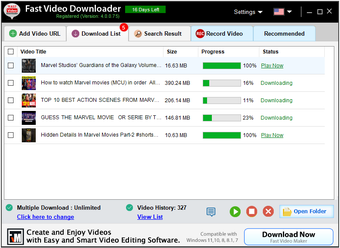
Fast Video Downloader is a Windows application that lets you download videos from a wide range of supported websites quickly and easily. Whether you want to save online videos for offline viewing, archive educational content, or keep a personal copy of your favorite videos, Fast Video Downloader offers a simple and reliable solution.
The application supports downloading videos from many popular video platforms, including Vimeo, Dailymotion, Facebook, Veoh, Flickr, Yahoo, Break, IMDb, Academic Earth, Adobe TV, and many other supported websites. The list of compatible websites is updated regularly to improve compatibility with changes made by video platforms.
Fast Video Downloader is designed with performance in mind. It uses multi-threaded download technology to maximize your available internet bandwidth, helping reduce download time compared to conventional download methods. Depending on your internet connection and the source website, downloads can be significantly faster.
If the source website provides high-quality videos, Fast Video Downloader allows you to download them in their available resolution, including 4K, Full HD (1080p), HD (720p), and other supported formats.
After downloading a video, you can convert it into different formats without installing additional software. Supported output formats include:
MP4
AVI
3GP
Device-compatible formats for Android phones and tablets
iPhone
iPad
iPod
PSP
The application can also extract audio from supported video files and save it as an MP3, making it useful for podcasts, lectures, interviews, and music.
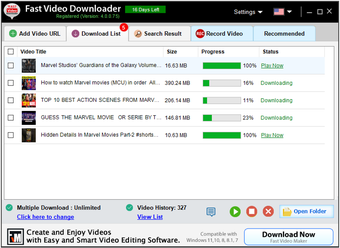
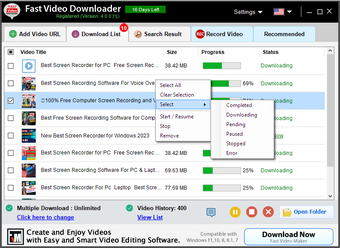
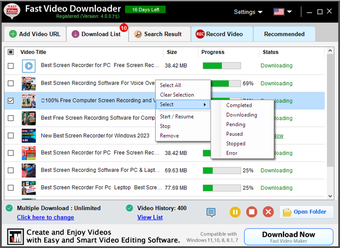
Fast Video Downloader supports simultaneous downloads, allowing you to queue multiple videos and download them together. This is especially useful when downloading playlists, tutorials, lectures, or large collections of videos.
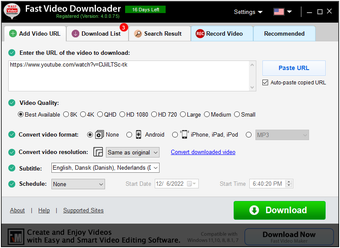
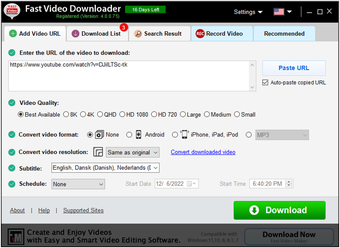
The interface is designed to make downloading videos straightforward, even for first-time users. Most videos can be downloaded in just a few steps.
How to Download a Video:
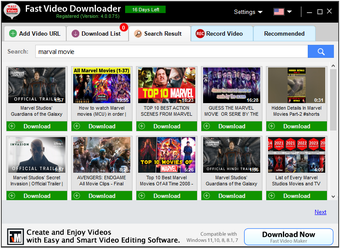
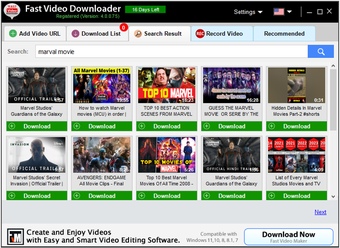
Step 1: Find the video you want to download.
Step 2: Copy the video's URL. Fast Video Downloader can automatically detect and paste supported video links copied to the clipboard.
Step 3: Click the Download button to start downloading.
That's it. Your video will be saved to your computer and will be available even without an internet connection.
Download videos from many supported websites
Fast multi-threaded download engine
Download videos in available resolutions, including 4K, 1080p, and 720p
Download multiple videos simultaneously
Built-in video converter
Convert videos for Android, iPhone, iPad, iPod, and PSP
Extract audio from videos as MP3
Automatic URL detection from the clipboard
Simple, clean, and easy-to-use interface
Free to download and try
Fast Video Downloader is suitable for users who regularly save educational videos, presentations, tutorials, product demonstrations, and other online content for offline access. Its combination of fast downloads, built-in conversion tools, and user-friendly interface makes it a practical choice for everyday video downloading on Windows.

Swing into adventure and explore vibrant worlds

Efficient Tumblr Video Downloader for Windows

A full version game for Windows‚ by Ice Water Games
Free
Windows
Other platforms (1)Windows Vista
English
2.4M
3.01 MB
View an ad to download for free
Have you tried Fast Video Downloader? Be the first to leave your opinion!
Add review
The all-in-one solution for media playback

A free high-quality video downloading platform

Robust media downloader utility

Download Adobe Premiere Pro for Windows – Professional Video Editing at Your Fingertips

The software that marked a golden era within the Internet.
The all-in-one solution for media playback
A free high-quality video downloading platform

The industry standard for professional motion design
Download Adobe Premiere Pro for Windows – Professional Video Editing at Your Fingertips

A very powerful and versatile free file converter.
The all-in-one solution for media playback
A free high-quality video downloading platform
Download Adobe Premiere Pro for Windows – Professional Video Editing at Your Fingertips
A very powerful and versatile free file converter.
The industry standard for professional motion design
Swing into adventure and explore vibrant worlds
Efficient Tumblr Video Downloader for Windows
A full version game for Windows‚ by Ice Water Games

Make synthwave music

Efficient Download Management with Download Accelerator Plus
Streamlined video playback and management

All-in-one screen recorder and video editor

A simple yet functional tool

Video enhancement software using AI

The best way to access Picasa on your W8 tablet

Beginner-friendly editor with creative controls

Comprehensive Review of Amadis Zune Video Converter

Efficient Multi-Format Video Converter

Efficient DVD Backup Solution for Windows

Free Multimedia Software for Windows Users

Comprehensive AVI Video Information Tool

Free all-purpose video converter, player, and editor





